Point of Sale
Turn any device into a powerful POS terminal
What it looks like
Inside Point of Sale
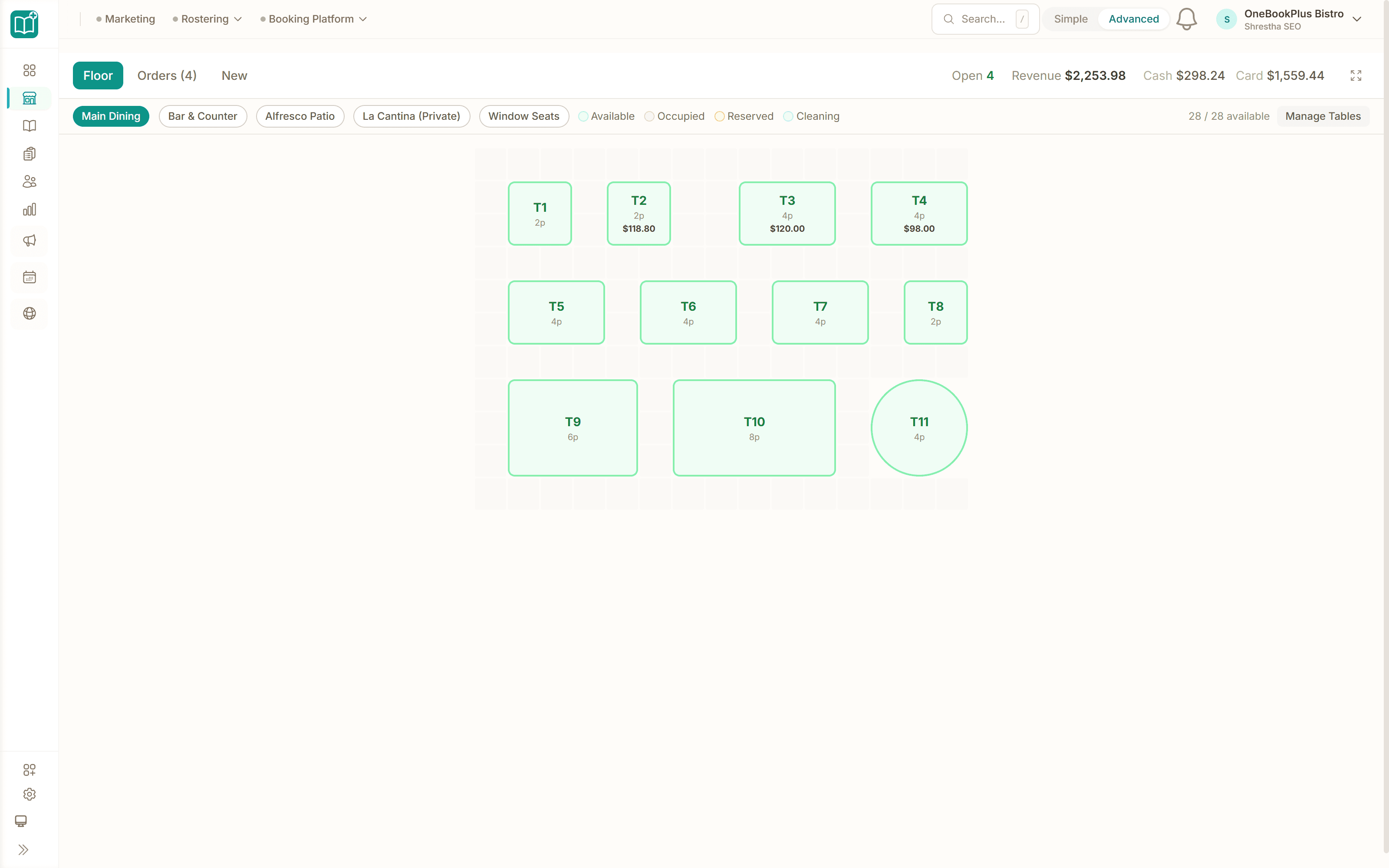
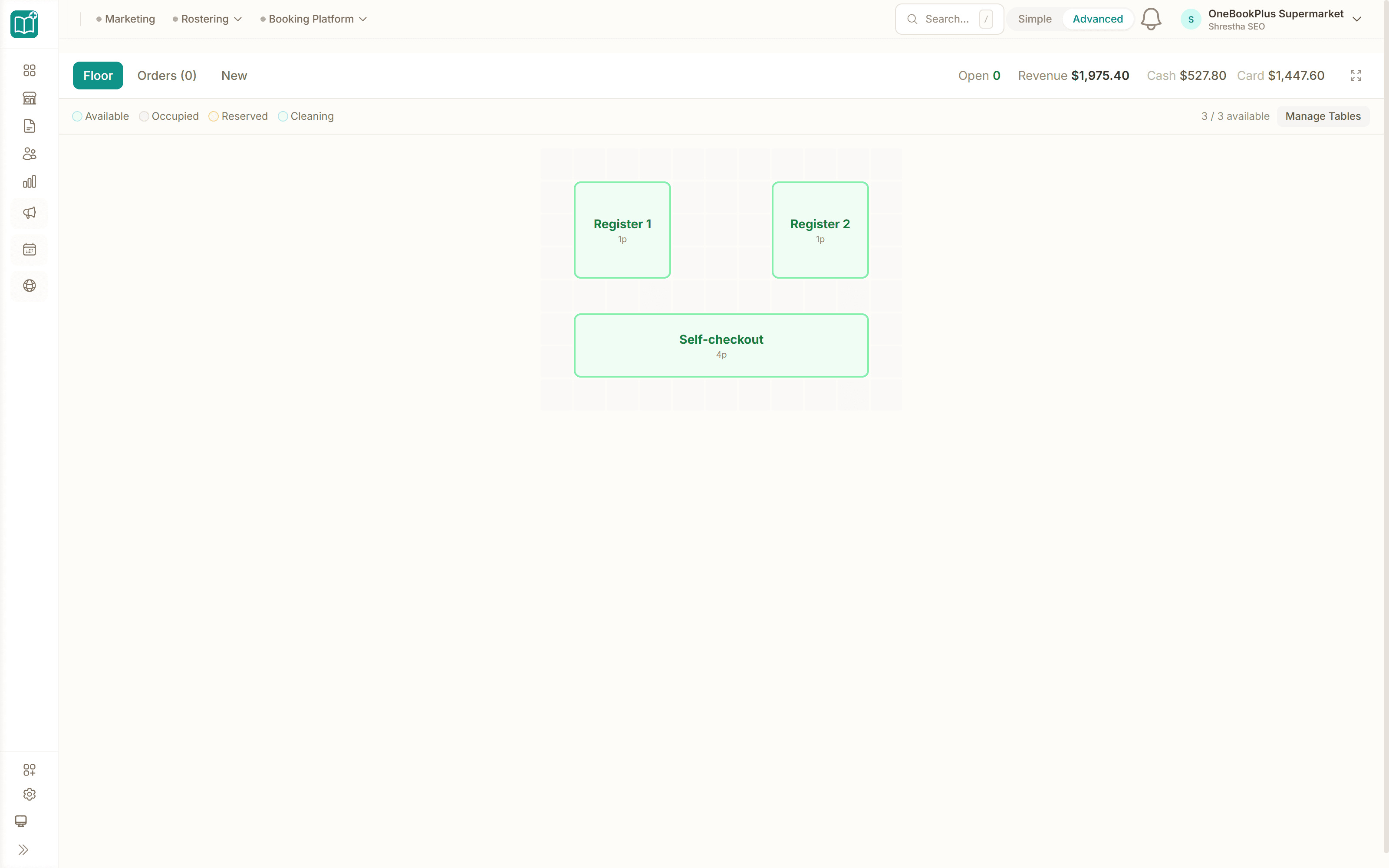
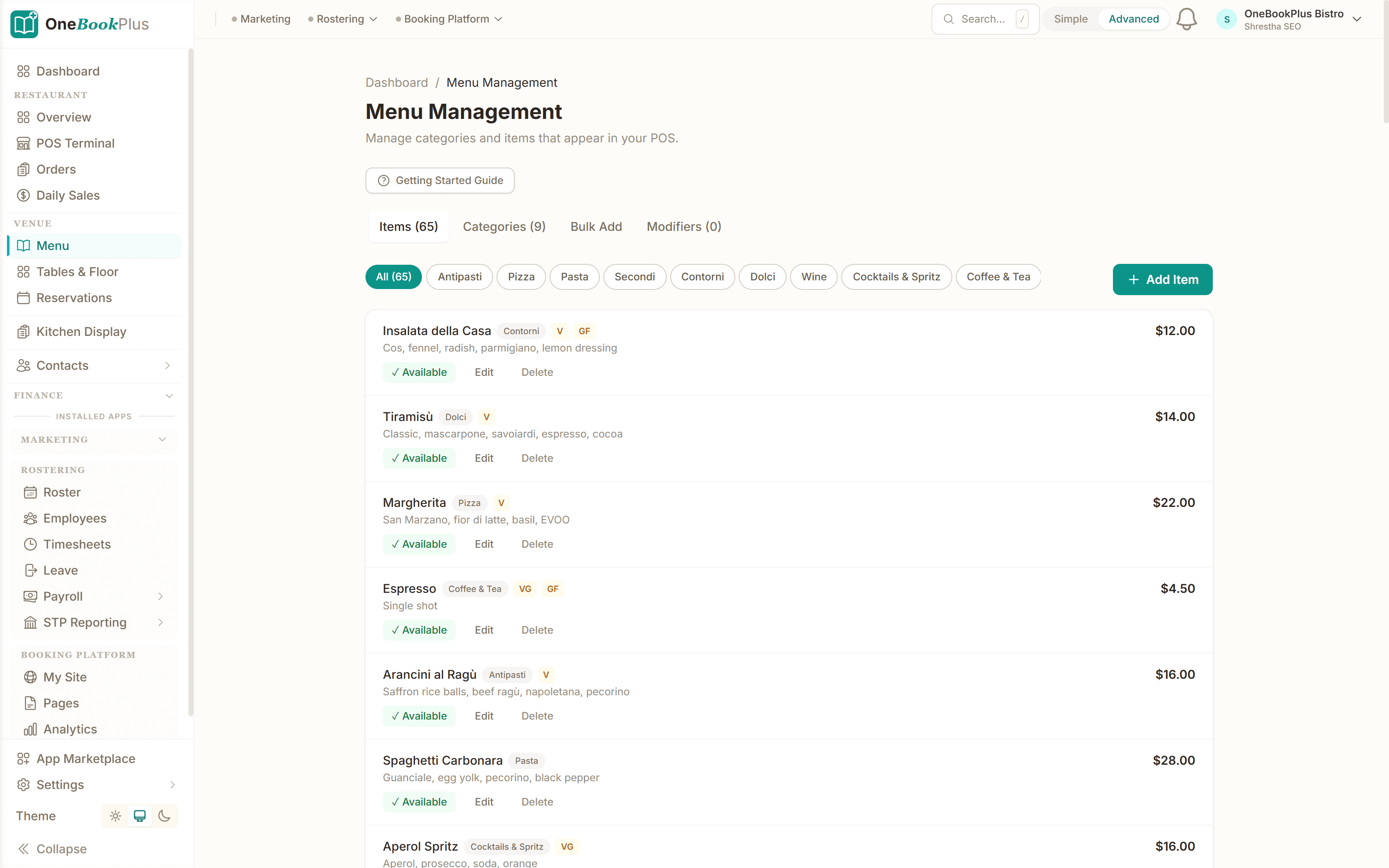
Restaurant POS — active table orders
Tap a table, add menu items, settle bills and tips. Orders flow to the kitchen display in real time.
About this app
Turn any tablet, phone, or laptop into a full-featured POS terminal. Take orders for dine-in, takeaway, or delivery. Record cash and card payments. Track orders in real-time from kitchen to table. Get daily sales reports that sync with your OneBookPlus accounting. Perfect for restaurants, cafes, and retail.
How it works
- 1
Install the app and set up your floor plan (rooms & tables)
- 2
Add your menu items or import from Menu Management
- 3
Start taking orders — POS works on any device
- 4
View daily sales reports and reconcile with your books
Who it's for
- Restaurants needing a simple, affordable POS
What businesses say
Related apps
Apps that work great with Point of Sale.
About OneBookPlus apps
How Point of Sale fits into the rest of OneBookPlus
OneBookPlus apps aren't external integrations stitched together with Zapier or n8n — they're native modules installed inside the same platform you already use for invoicing, bookings, CRM, and accounting. That means Point of Sale reads from and writes to the same customer records, financial entries, and calendar events as every other module, with no scheduled sync delays and no risk of data drift between systems.
Because the marketplace runs inside OneBookPlus, billing is consolidated. Point of Sale appears as a single line on the same OneBookPlus invoice as your plan, so you don't end up reconciling separate vendor charges across three or four different SaaS subscriptions. Cancellation is one click and never reaches into your data — uninstalling an app removes the feature from the UI but preserves the underlying customer, invoice, and booking records, so reinstalling later picks up exactly where you left off.
Every app in the marketplace is built specifically for the Australian small and medium business context: GST and ABN handling are first-class concerns, dates render as DD/MM/YYYY, currency defaults to AUD, and the underlying compliance plumbing (BAS summaries, ATO-friendly records, AHPRA / NDIS / Fair Work checkpoints where relevant) is shared across modules. New Zealand businesses are supported with NZ tax and timezone defaults using the same code paths.
For a side-by-side of which features ship as core modules versus which require an installed app, see the features page. For pricing across plans and which apps are bundled at each tier, see the pricing page.
Frequently asked questions
Common questions about Point of Sale and the OneBookPlus app marketplace.
How do I install Point of Sale?
Open your OneBookPlus dashboard, go to App Marketplace, and click Install on Point of Sale. Setup takes under 2 minutes — no separate accounts or downloads needed.
What does Point of Sale cost?
About the author
Bishal Shrestha
Founder & CEO, OneBookPlus
Bishal has over a decade of experience in digital marketing, web development, and small business consulting across Australia. This app sits inside the OneBookPlus marketplace, designed and maintained for Australian small to medium businesses. Point of Sale is part of a single platform that connects invoicing, bookings, CRM, accounting, and marketing — so installing apps adds capability without adding logins.
Ready to add Point of Sale?
Start your 14-day free trial. No credit card required.
Last reviewed and updated: May 2026 by Bishal Shrestha